Sound Status app icon

Broadcast what you're playing

A macOS menu bar app that automatically updates your Slack status with whatever you're currently playing in Apple Music.

Coming Soon to the Mac App Store

Requires macOS Tahoe or later

How it works

  1. Connect your Slack workspace

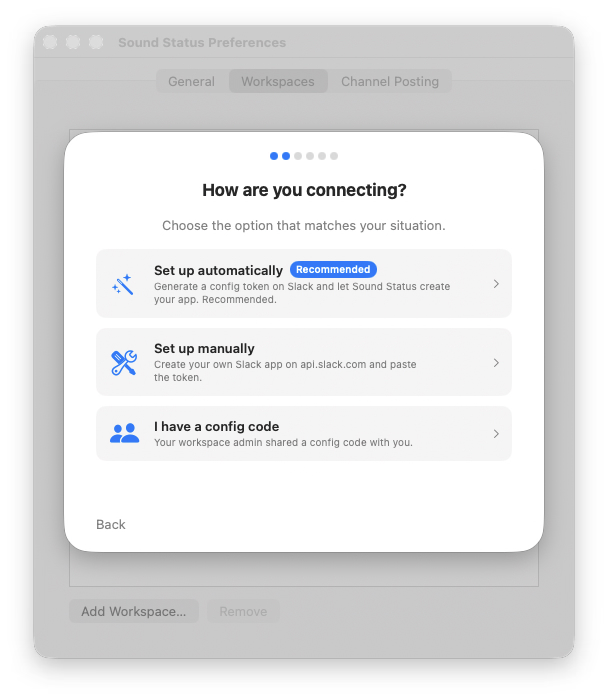
    A guided setup wizard offers three paths: let Sound Status create and configure your Slack app automatically, set it up manually in the Slack App Portal, or paste a config code shared by your workspace admin. Multiple workspaces are supported.

  2. Authorize with Slack

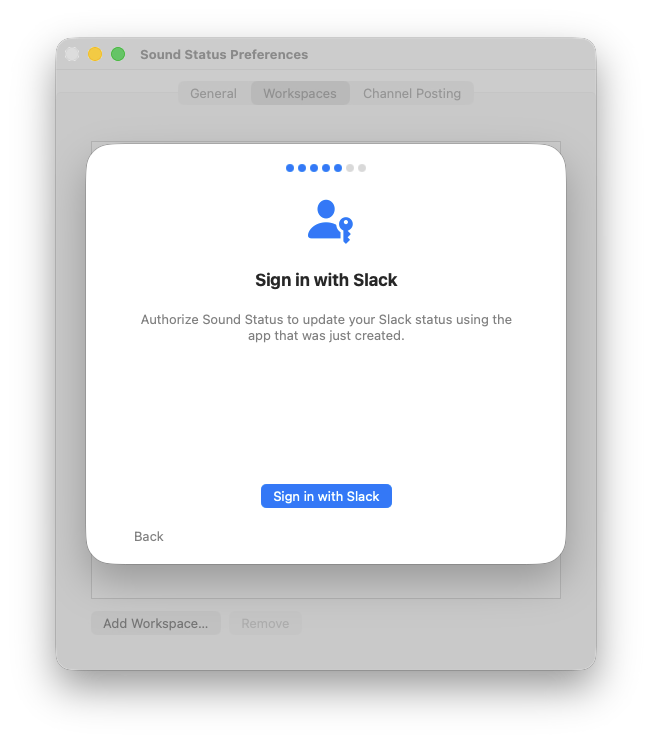
    Click "Sign in with Slack" and authorize in your browser using standard OAuth 2.0. You're redirected back to the app automatically — no copying tokens, no manual steps. Your token is stored exclusively in the macOS Keychain on your device.

  3. Your status updates automatically

    Sound Status runs quietly in your menu bar, watching Apple Music in the background. Your Slack status reflects what's playing — track title, artist, and album — formatted exactly the way you want. When you pause or stop, the status clears.

Features

Menu Bar Native

Lives in your menu bar. See playback state at a glance — no dock icon, no windows to manage.

Customizable Status

Use {title}, {artist}, and {album} template variables to format your status exactly how you want.

Channel Posting

Optionally share now-playing messages to a Slack channel with album artwork — complete with cooldown and active-hours controls.

Multi-Workspace

Connect multiple Slack workspaces and update them all simultaneously with a single playing track.

Quiet Hours

Schedule quiet hours so your status stays clear during focus time, meetings, or off-hours.

Privacy First

OAuth tokens live in the macOS Keychain — never on our servers. The OAuth redirect uses a static page at soundstatus.io with no server-side logic. No analytics, no telemetry.

Easy Team Onboarding

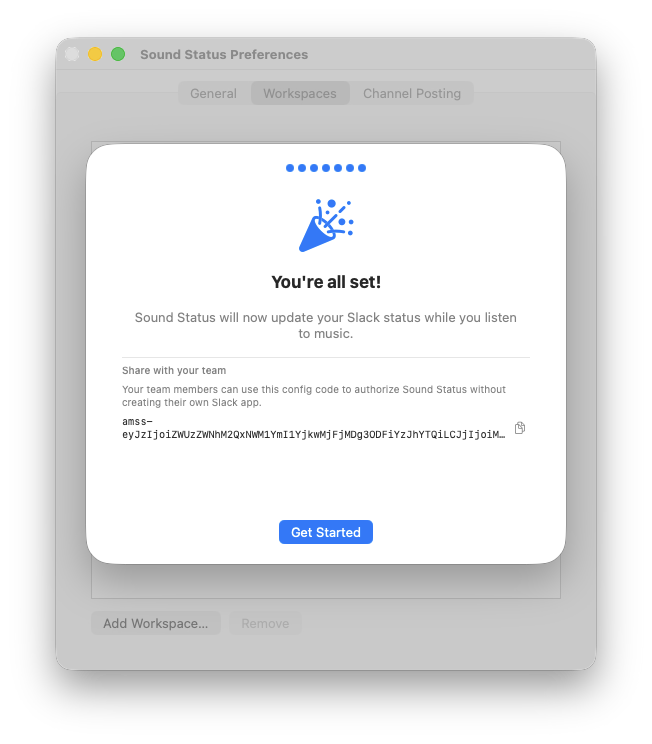
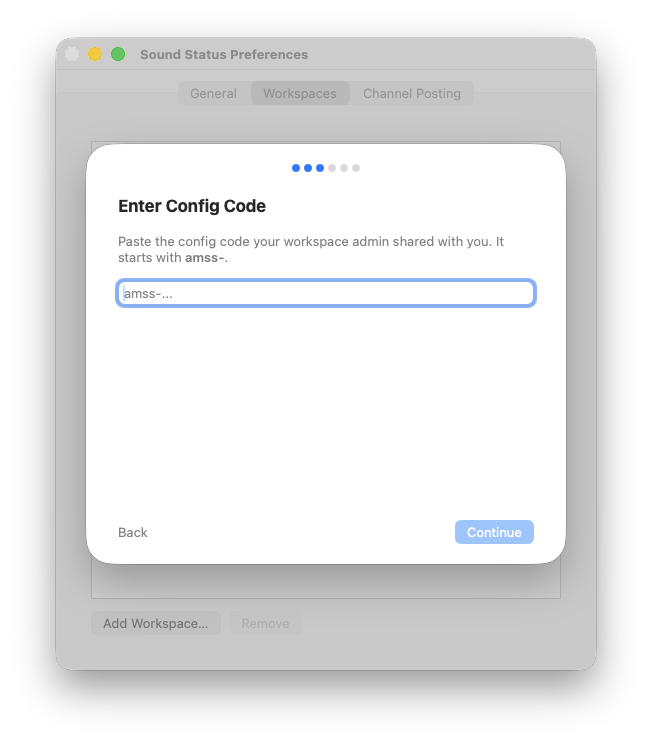
Admins set up once and share a config code with teammates. Each team member authorizes individually in seconds — no app portal access required.

See it in action

menu-bar-playing.png Sound Status menu bar dropdown showing Professional Widow by Tori Amos playing, with the Enabled toggle and Preferences item
Menu bar dropdown while a track is playing
preferences-general.png Sound Status Preferences General tab showing status format template, emoji, expiration, polling interval, behavior toggles, and quiet hours
Status format, emoji, and behavior settings
preferences-channel-posting.png Sound Status Preferences Channel Posting tab showing per-workspace enable toggle, selected channel, cooldown, and active hours settings
Per-workspace channel posting with cooldown controls
setup-wizard-welcome.png Sound Status setup wizard welcome screen with music note icon, Welcome to Sound Status headline, and Continue button
Guided setup wizard for connecting your Slack workspace
setup-wizard-path-selection.png Sound Status setup wizard showing three options: Set up automatically (Recommended), Set up manually, and I have a config code
Three setup paths — automatic, manual, or team config code
setup-wizard-oauth-signin.png Sound Status setup wizard showing the Sign in with Slack step with a user-and-key icon and Sign in with Slack button
One-click OAuth sign-in — no token copying required
setup-wizard-config-code.png Sound Status setup wizard completion screen showing the Share with your team section with a generated amss- config code and Get Started button
Share a config code so teammates can connect in seconds
setup-wizard-config-paste.png Sound Status setup wizard Enter Config Code step with an amss- text field for team members to paste the code shared by their admin
Team members paste the config code and sign in — no app setup required
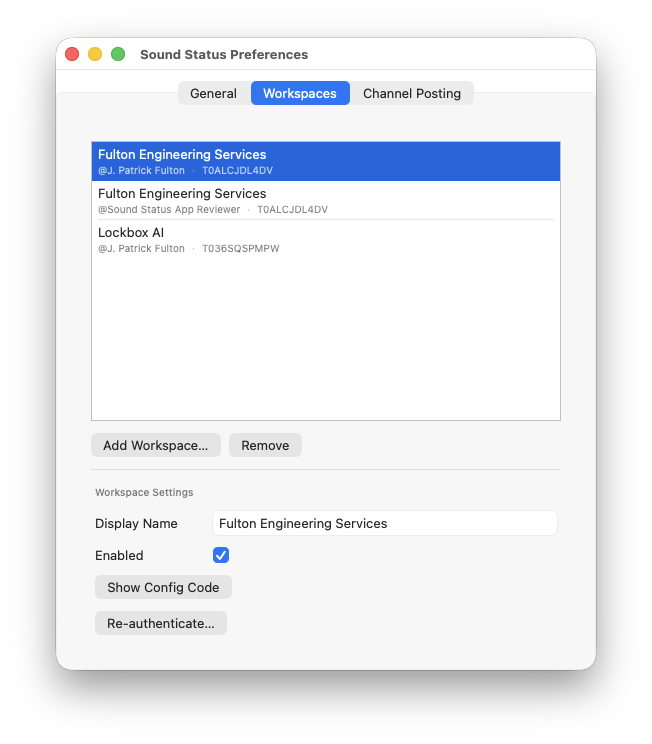
preferences-workspaces.png Sound Status Preferences Workspaces tab showing three connected workspaces with Display Name, Enabled checkbox, Show Config Code and Re-authenticate buttons
Manage multiple connected Slack workspaces
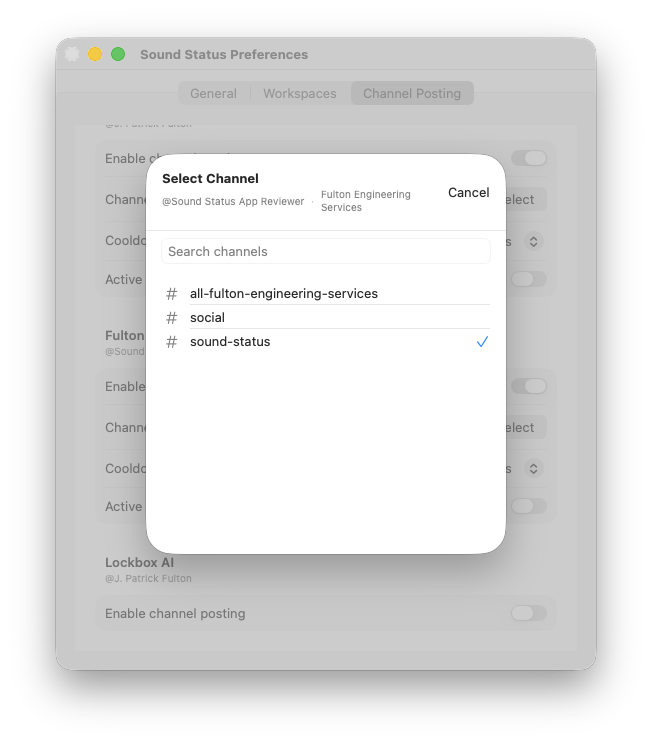
channel-picker-sheet.png Sound Status Select Channel sheet showing a search field and a list of Slack channels including all-fulton-engineering-services, social, and sound-status with a checkmark
API-driven channel picker for public and private channels
slack-status-result.png Slack sidebar showing J. Patrick Fulton's status as a musical note emoji followed by Diamonds On the Soles of Her Shoes by Paul Simon
Your Slack status reflecting what's playing
channel-post-example.png Slack channel message from J. Patrick Fulton showing the Boys for Pele album artwork and Caught a Lite Sneeze by Tori Amos with track details and an Open in Apple Music link
Optional channel posts with album artwork and track details

Ready to share the sound?

Sound Status is coming soon to the Mac App Store.

Coming Soon to the Mac App Store

Requires macOS Tahoe or later